How to Download and Install the Binance App: Android / iOS and Setup
There are plenty of fake Binance apps out there, with the icon, name and interface copied closely, and installing the wrong one means handing your login details to whoever built it. So this guide starts with how to confirm you have the official app, then covers installing on Android and iOS.
After that: setting the language, and the security settings to turn on once you log in. Binance's app and app-store pages get updated occasionally and the button wording may shift, but the order below stays the same: confirm the source, install, then switch on security before anything else.
Before you download, get "where to get it" straight
Only download from an official source you can confirm, and check again once you land. Concretely, trustworthy sources are usually these:
- Official app stores: the app published by Binance's official account in legitimate stores like Apple's App Store on iOS or Google Play on Android.
- The download link on Binance's official website: going to the download page on Binance's own site and getting the installer, or being sent to the store, the way it directs you.
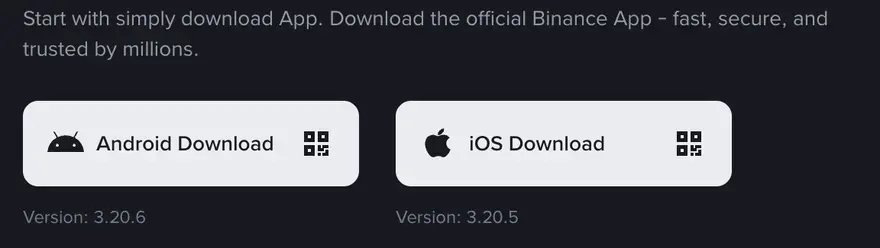
How do you confirm it's official? A few things you can cross-check: whether the developer/publisher name is Binance's official entity, whether the download count and reviews in the app store are at a normal scale (fakes are often freshly listed, with sparse reviews or all bot-like praise), and whether the official domain's spelling has been tampered with (swapping a letter for a look-alike, or adding an unobtrusive hyphen, is a common phishing trick). Spending an extra minute to check beats losing your account afterward by a mile. Binance Academy, run by Binance, has explainers specifically on identifying the official app and guarding against fakes — worth a skim before you start.
Never grab the installer from a link of unknown origin, a QR code forwarded in a group chat, an ad slot in search results, or a third-party download site — these are where fake apps run rampant. The most common fake-app playbook: the interface looks almost identical to the real one, and the moment you log in your account and password are stolen in real time; some also quietly swap in the scammer's address when you "deposit." The rule of thumb is simple — if the source isn't confirmed, never enter your password; any app that has you "transfer money first to activate" or "tell support your verification code" is a scam — Binance doesn't ask for either. The platform will never ask you for your password or a verification code. When in doubt, back out and start over from an official source.
If you haven't signed up yet, you can first go in through our sign-up link, which sends you to Binance's official page to complete sign-up; after that, install the app on your phone the way described below and log in with the same account. The account and the app are two different things: the account is your identity, the app is just one window for accessing it, and the web and app log into the same account.
How to install on Android
On Android there are two situations, because the stores available differ by phone and by region.
If you can use Google Play
If your phone can access Google Play normally, this is the easiest path: search for the app in the Play Store, make sure the publisher is Binance's official entity, and once it checks out, tap install. The upside of installing through the official store is that the system does a layer of source verification for you, and later updates come automatically through the store, so you're less likely to end up on a version someone has altered.
If you can't use Google Play
Plenty of Android users don't have Google Play, in which case you usually have to download the installer (the APK file) from Binance's official website and install it manually. This path works, but be more careful:
- Always download the installer from Binance's official website, not from a third-party site. The repackaged "modified versions" with malicious code injected almost all come from unofficial download sites.
- When you install an APK manually, the system prompts you to "allow installing apps from unknown sources," which needs you to grant permission temporarily. After installing, it's best to turn that permission back off, to avoid mistakenly installing some other installer of unknown origin later.
- Once the installer is downloaded, pay attention to the file size and whether the source page looks normal; and when you first open it after installing, check again that the info shown in the app matches the official one.
Installing an APK manually carries a bit more risk than going through the official store, because it lacks that store's layer of vetting. If you're unsure and you happen to be able to use an official store, go with the store. For the latest guidance on which install method suits your region and device, check Binance's official download page.
How to install on iOS
iPhone / iPad users go through the App Store. The logic is the same as Android's official store: search in the App Store, make sure the publisher is Binance's official entity, check the reviews and download scale look normal, then tap to get and install it.
On iOS, beginners often hit one snag: the App Store is split by country/region, and the store for the region your current Apple account is in may not have the app available. If you can't find it in your own region, that's usually down to the listing situation there. Whether and how to switch your Apple account's region touches on Apple's own account rules and the relevant regulations where you live, so treat Apple's official guidance and Binance's iOS download guide as the source of truth on that — this site offers no advice on getting around region restrictions or compliance requirements, so please follow the laws and regulations where you live.
For both Android and iOS, my advice is the same: when you first open it after installing, check the in-app official identifiers before you log in. This step takes only a few seconds, but it cuts the risk of "installing a fake" to the minimum.
A lot of beginners assume that once the app is installed and they've logged in they can trade — but there's still one step to go: identity verification (KYC). A newly registered account that hasn't completed standard identity verification can't deposit or trade — you can only log in and look around. This is a hard compliance requirement of the platform, and there's no getting around it. We've written a dedicated guide on the full sign-up and KYC process; see "Read next" at the end.
Once installed: set the language and interface
When you first open the app, it won't necessarily be in your language — no need to worry, changing it is quick. The menu locations differ slightly between versions, but the idea is the same:
- Find the settings entry. It's usually under a tab like "Profile," "Account" or your personal area in the app's bottom navigation; go in and you'll see settings (a gear icon).
- Find the Language option. In settings, look for "Language" or "Language & region," tap in and pick the language you want. Once selected, the interface usually refreshes into it right away.
- While you're at it, glance at "quote/display currency." Some versions let you switch the unit that prices and balances are shown in to the local currency you're used to reading, which makes mental conversion easier. This only affects the display, not what you actually hold.
If you want to change the language on the initial screen before logging in, there's usually a small language-switch icon in the corner of the home or login page too (often a globe, or an "A"-style marker); tap it and you can pick your language the same way. If you really can't find it, changing it in settings after logging in works just as well.
After installing: switch on 2FA before your first trade
Once you're logged in, hold off on buying and do two things first — they take a few minutes:
- Turn on two-factor authentication with an authenticator app (such as Google Authenticator) rather than SMS alone. Write the setup key down on paper and keep it offline; it's how you get back in on a new phone. For how 2FA works, see Investopedia's explainer.
- Set an anti-phishing code. Every official Binance email will then carry it; if an email doesn't, don't click any link in it.
While you're at it, turn on the app's security notifications and login alerts. That way, the moment an unfamiliar device tries to log into your account, you get an alert right away and can act in time. Security is layered: 2FA, an anti-phishing code and login alerts together are what actually keep the account protected.
No account yet? Sign up with our invite code BN666X for up to 20% off trading fees*
* Actual rate shown on Binance's promo page, subject to change. CoinFledge is an independent guide, not affiliated with Binance.
Our sign-up link opens Binance's official site. Enter invite code BN666X at sign-up and you get up to 20% off trading fees* when you trade (the actual rate is whatever Binance's current promo page shows). This site is an independent third-party guide, not Binance and not its agent; we don't touch your money or operate your account for you, and everything above is for learning and reference only.